

Today, phones, notifications, social media, emails, and multiple open browser tabs constantly compete for our attention. Completely avoiding technology is not practical, but by building a few simple digital habits, you can make your day more organized, focused, and easier to manage.
You do not need to delete every app or stay away from your phone all day. Small changes in how you use technology can help reduce unnecessary distractions and make it easier to focus on what matters most. Small changes to your digital habits can make it easier to reduce distractions and use technology more intentionally.
Table of Contents
1. Turn Off Unnecessary Notifications
Every notification does not need your immediate attention. Social media alerts, shopping updates, games, and promotional emails can interrupt you even when the information is not important.
Go through your phone settings and keep notifications on only for apps that genuinely need your attention. Fewer alerts can make your phone feel quieter and help you check it on your own schedule instead of reacting every few minutes.Better digital habits can make notifications less disruptive throughout the day.
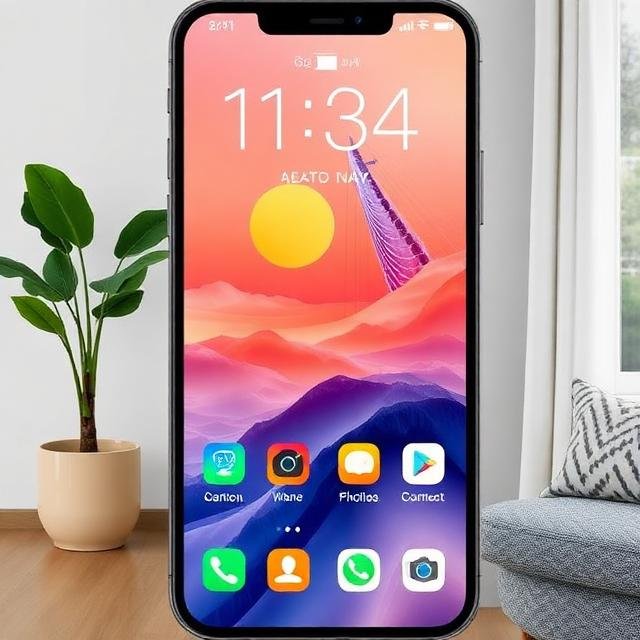
2. Keep Your Home Screen Simple
A crowded home screen filled with apps can make it tempting to open something without thinking.
Keep your most useful apps on the first screen and move entertainment or rarely used apps into folders or onto another page. A cleaner home screen can make your phone feel more organized and reduce mindless tapping. Simple digital habits like keeping your home screen organized can reduce unnecessary app checking.
3. Check Messages at Specific Times
Constantly checking email and messages can make it difficult to stay focused on one activity.
Instead of opening your inbox every few minutes, choose a few times during the day to check non-urgent messages. For example, you might check once in the morning, around lunchtime, and later in the afternoon.
This simple digital habit can help protect longer periods of uninterrupted time.For evidence-based guidance, see the NIDDK advice on staying active at any size.
4. Keep Your Browser Tabs Clean and Organized
It is easy to end up with dozens of browser tabs open at the same time. Even when you are not actively using them, a cluttered browser can make your workspace feel more distracting.
At the end of a task, close the tabs you no longer need. Bookmark useful pages if you want to return to them later. These digital habits can help make phone-free time feel more natural and manageable.
Starting with a cleaner browser can make your next task easier to manage.
The NHLBI recommends avoiding electronic devices close to bedtime because their light can disrupt the sleep-wake cycle

“Sometimes the Best Connection Is Disconnecting”
5. Create Phone-Free Moments
You do not need to spend hours away from technology to benefit from a short break.
Choose a few moments during your day when you intentionally put your phone aside. This might be while eating a meal, taking a short walk, talking with family, or preparing for bed.“Healthy digital habits can also support a calmer transition from screen time to rest.”
Small phone-free periods can give you a chance to focus on what is happening around you without constantly checking a screen. Healthier digital habits can also help you create clearer boundaries between screen time, work, and rest.
6. Use One Screen for One Purpose
Multitasking between a laptop, phone, tablet, television, and multiple apps can quickly divide your attention.
When possible, decide what you are using a device for before you begin. If you are writing, focus on writing. If you are watching something, avoid scrolling through another device at the same time.
Doing one digital activity at a time can make your routine feel less scattered.
7. Clean Up Your Digital Space Weekly
Digital clutter can build up just like clutter in a room.
Once a week, spend a few minutes deleting unnecessary screenshots, old downloads, duplicate files, unused apps, and emails you no longer need.
You can also organize important documents into clearly named folders. A small weekly cleanup can make it much easier to find things later.
8. Decide What You Want to Do Before Unlocking Your Phone
One of the simplest digital habits is to pause before opening your phone.
Ask yourself: What am I opening my phone to do?
Maybe you need to reply to a message, check directions, look at your calendar, or make a quick note.
Complete that task first before automatically opening social media or another distracting app. This small pause can help make your phone use more intentional.
Small Digital Habits Can Improve Your Daily Routine
Technology is useful, but it works best when you decide how you want to use it instead of allowing every notification and app to control your attention.
Start with one or two simple digital habits. Turn off unnecessary notifications, organize your home screen, create phone-free moments, or clean up your digital space once a week.
You do not need a perfect digital routine. The goal is simply to create fewer distractions and make more room for the activities that deserve your attention.
Conclusion
Building better digital habits does not mean avoiding technology completely. The goal is to use your phone, apps, and screens more intentionally so they support your day instead of constantly interrupting it. Small changes such as simplifying your home screen, limiting unnecessary notifications, checking messages at set times, creating phone-free moments, and reducing screen use before bed can make a noticeable difference over time.
The most effective digital habits are the ones you can follow consistently without making technology harder to use. Start with one or two changes that feel realistic, practice them for a few weeks, and adjust them to fit your routine. With a more mindful approach to technology, it becomes easier to protect your attention, reduce distractions, stay focused, and create a healthier balance between online and offline life. The most effective digital habits are the ones you can follow consistently without making technology harder to use.
Frequently Asked Questions
1. How often should I check my email during the day?
For non-urgent messages, checking email a few scheduled times a day can help reduce interruptions and protect focused work time.
2. Why does constantly checking messages reduce focus?
Each notification or inbox check can interrupt your attention. Repeated interruptions may make it harder to stay focused on one task for a longer period.
3. What is the best time to check emails?
A simple routine could be checking once in the morning, around lunchtime, and later in the afternoon. The best schedule depends on your work and responsibilities.
4. Should I turn off email and message notifications?
If your work does not require instant responses, reducing or muting non-essential notifications can make it easier to concentrate.
5. What if I am expecting an important message?
Keep important contacts or urgent channels available, but avoid repeatedly checking every app or inbox when there is no urgent need.
6. Can scheduled email checking improve productivity?
It can help create longer periods of uninterrupted work, especially for tasks that require concentration.
7. How can I stop checking my phone every few minutes?
Keep your phone out of immediate reach, mute unnecessary notifications, and choose specific times for checking messages.
8. Is it okay to check messages during breaks?
Yes. Breaks can be a practical time to check non-urgent messages without interrupting focused work sessions.
You may also like: 7 Simple Evening Habits to Reduce Stress and Sleep Better
https://smartlifeguidebyyasir.com/evening-habits-better-sleep/